
Print / PDF — a paper copy of the score
Menu → File → Print / PDF… opens the score zoomed out with a frame on it for every page. You decide where the pages break; Oscilla makes one PDF from them.
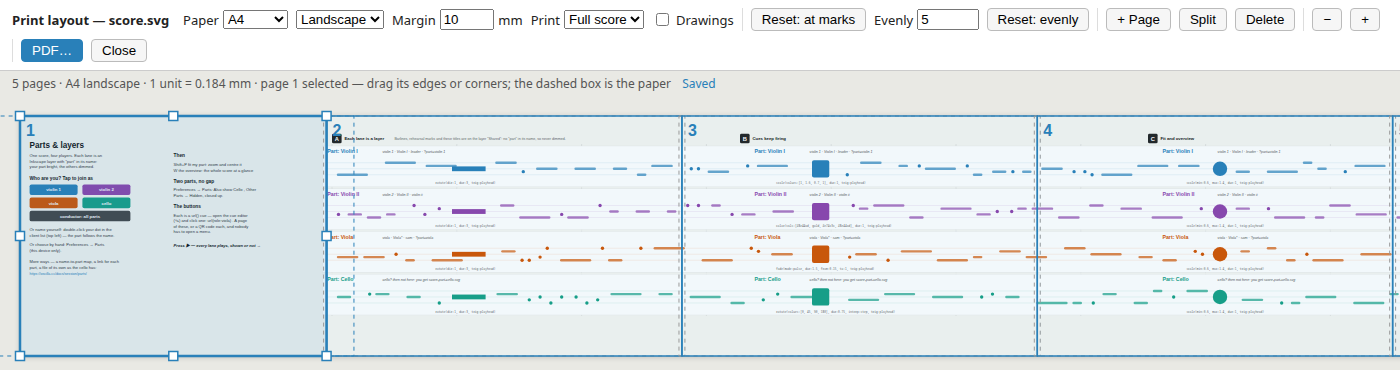
The pages
- Drag a page's edges or corners to resize it, its middle to move it. Where two pages meet, dragging the edge between them moves both, so nothing between them goes unprinted.
- + Page adds one after the selected page, Split cuts it in two, Delete (or the Delete key) removes it. ← → step through the pages.
- Reset: at marks — pages as large as the paper allows, each breaking just before a rehearsal mark where there is one near the end. This is what you get the first time.
- Reset: evenly — the number of equal pages you ask for.
- − / + zoom the view.
Frames are rectangles, not just break points: drag a page's top or bottom edge to leave out empty space above or below the music.
Map scores: a page per station
In a map score the pages start as the stations — one per station rect, in the order the route visits them, each framed as the camera frames it on arrival — and each page fills the paper, as the camera fits each station to the screen. Reset: stations brings that layout back in any score that has stations. Station rects and legs never print, here or in the full score: they are for authoring, hidden as in performance.
One size of notation
Every page is the same paper size (Paper, Landscape/Portrait, Margin), and with Scale: One for all pages — the default, except for map stations — the whole PDF prints at one scale: the largest page fills the paper, and every other page prints at the same size, centred. The notation never changes size from page to page. The dashed box round each frame shows the paper at that scale — the room a page has to grow — and the line above the score gives the scale (1 unit = 0.184 mm). Make one page much larger than the rest and everything prints smaller.
Scale: Each page fills the paper scales every page on its own instead: the right choice when pages show different zooms, as map stations do.
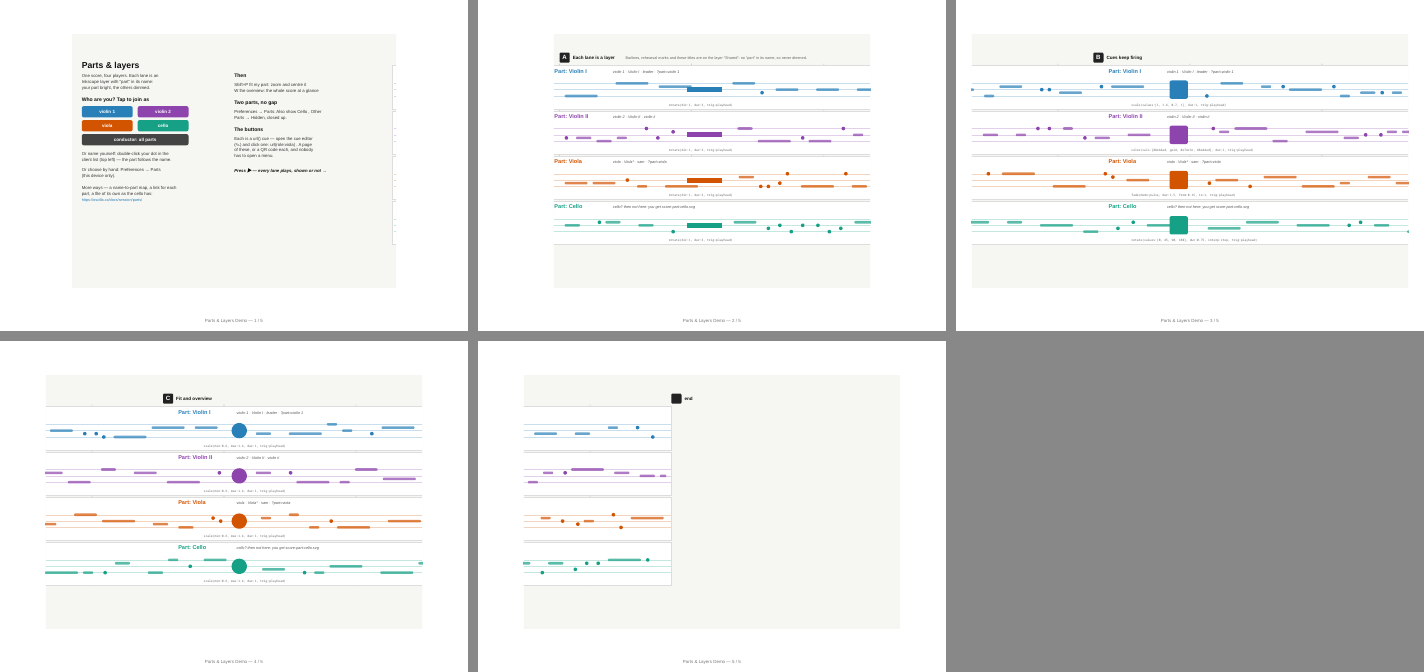
What prints
- Print: Full score, or My part view — the parts this device shows (Preferences → Parts), dimmed or closed up just as on screen. A part view has its own pages, which by default stop below the last part shown, so a part prints larger than the full score.
- Drawings adds the freehand drawing made on this device.
- The score prints as written in the file — not as it is on screen, where animated elements stand wherever they happen to be.
Making the PDF
PDF… saves the layout and makes the PDF.
- In the desktop app a Save dialog asks where; the PDF is written directly and shown in its folder.
- In a browser a print page opens: press Ctrl+P (Cmd+P on Mac) and choose Save as PDF. The page sets the paper size and margins — leave the dialog's own at their defaults.
Where the layout is kept
In print.json beside the score, per score file (and per part view):
{
  "score.svg": {
    "paper": "A4", "orientation": "landscape", "margin": 10,
    "frames": [ { "x": 0, "y": 0, "w": 1277, "h": 1000 }, … ]
  }
}
Frames are in the score's own units. The layout is saved as you work, is shared by everyone using the project, and is never written into the SVG — so moving a page does not make anyone's score reload.
Tip: use ← → or ↑ ↓ to navigate the docs