
text() — Text Display Cue
Display text content with six simple modes: pick, cycle, shuffle, scroll, ticker, and reveal.
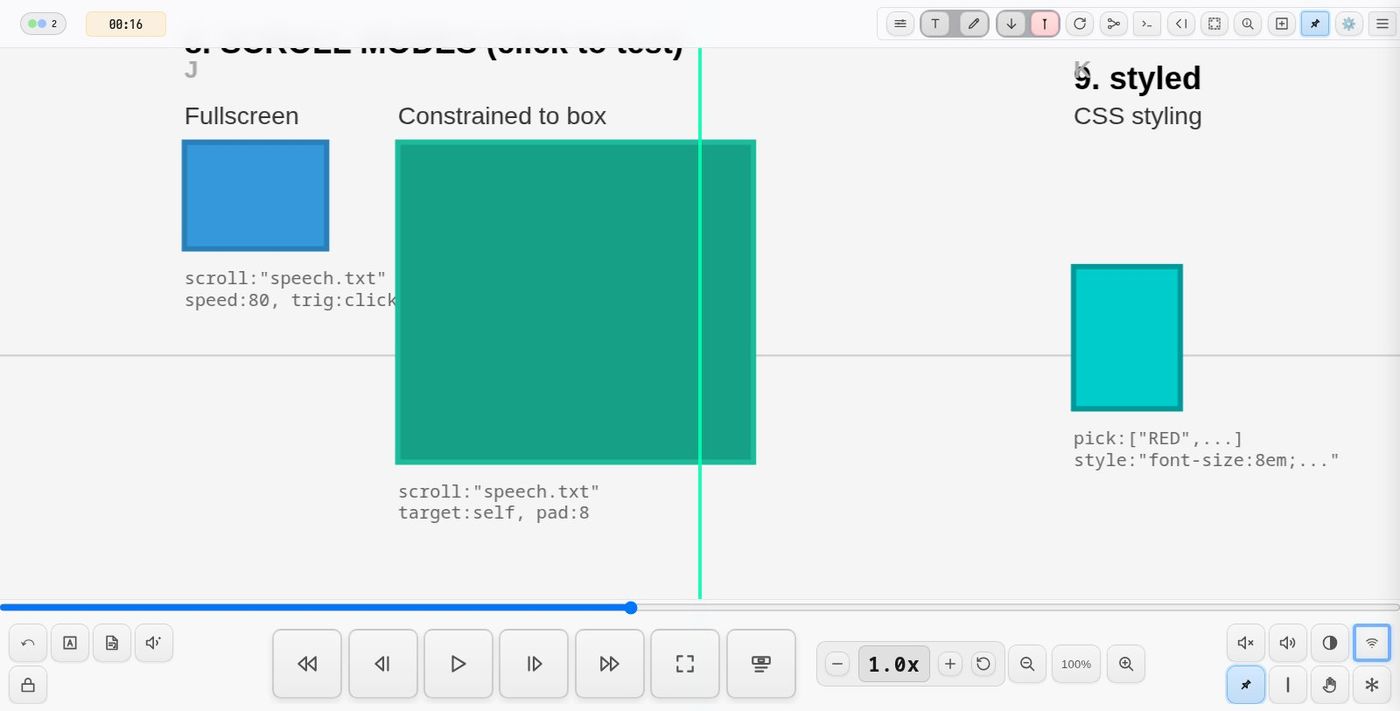
Modes
pick — Random Selection
Display ONE random item from an array. Each trigger picks a new random item.
text(pick:["Hello","World","Goodbye"], dur:3)
A list inside the list is said in the time of one item: its words one after
another, two in halves, three in triplets -- of a beat, so they land on the
beat the single words do (or of dur:, when that is longer; span: sets
it). Each shows for its share of dur:.
text(pick:["WTF", ["BRO", "WHAT"], ["ONE", "TWO", "THREE"]], dur:0.1, fade:5, trig:every(4, beat.hit))
On each bar: WTF; or BRO, then WHAT on the half beat; or the three on the
triplets. In cycle: and shuffle: such a list shares its item's dur:.
flash: makes each word a strobe of its own: the stage's background a
colour (flash:white, flash:"#f0f") -- behind everything on it, the
score's own Background layer too -- or the stage inverted (flash:invert,
as screen(invert:1) does it), for exactly as long as the word shows. So the
flashes keep the words' halves and triplets, as a screen(invert:...) on
the beat cannot. Only the stage: the console and the bars are left alone.
text(pick:["WTF", ["BRO", "WHAT"], ["ONE", "TWO", "THREE"]], dur:0.1, fade:5, trig:every(4, beat.hit),
  flash:white, wrap:0, style:"font-size:660px; color:black; font-weight:900; text-shadow:none; pointer-events:none")
cycle — Sequential Playthrough
Display items one after another in order, with crossfade transitions.
text(cycle:"poem.txt", dur:2)
text(cycle:["Line 1","Line 2","Line 3"], dur:2, loop:0)
gap:<beats> puts an empty pause between items instead of the crossfade:
each fades out, nothing shows for that long, then the next fades in.
text(cycle:"poem.txt", dur:4, gap:2)
shuffle — Randomized Playthrough
Display all items in random order, reshuffling each pass.
text(shuffle:"poem.txt", dur:2, loop:0)
scroll — Teleprompter
Smooth scrolling text display, like a teleprompter.
text(scroll:"speech.txt", speed:60)
ticker — News Crawl
Horizontal scrolling text, like a news ticker or stock crawl.
text(ticker:"Breaking news • Headlines here • More info", speed:100)
Content Sources
Array
text(pick:["Option A","Option B","Option C"])
File
Load from a .txt or .csv file. Files are resolved in order:
- Project text directory:
scores/<project>/text/<filename> - Shared text directory:
shared/text/<filename>
text(cycle:"poem.txt", dur:2)
A .csv -- a row an item
The first row names the columns. Each row after it is an item: its first
column, or col: another (by name or number, 1 the first), or format: any
of them in a line. header:0 when the first row is a row like the others.
text(cycle:"names.csv", dur:2)                        the first column
text(cycle:"names.csv", format:"{name}, {age}")       two of them
Stepping on a signal
A cycle: or shuffle: run by a signal shows one item a hit, the next each
time, instead of starting over -- through a list, or a .csv of thousands
of rows, on the beat. It goes on where it was when the line is run again
(each uid: keeps its own place); round again at the end, shuffle: in a
fresh order.
text(uid:n, cycle:"names.csv", dur:0.2, fade:5, trig:beat.div(2), flash:white, style:"color:black")
Every one stays: stay:1
With stay:1 nothing goes: each item comes in as any other (its fade:,
its flash:), shows for dur:, then stays where it landed -- the screen
fills up. at:rand puts each somewhere new (all of it on the screen), or
at:[x, y] (0..1 of the window) one place -- at:0.5 is [0.5, 0.5]. Stepped on a signal, run as a
cycle: / shuffle: (one each dur:), or a pick: each time it runs.
text(uid:n, cycle:"names.csv", dur:0.3, trig:beat.div(16), stay:1, at:rand,
  style:"font-size:14px; color:white; font-weight:100; text-shadow:none")
at:flow lays them down as a page reads: each under the one before, from
the top left; at the bottom the next column, past the right edge back to the
top, over what is there. max-width in style: is how wide a column is.
text(uid:x, cycle:"excerpts.csv", col:"text", dur:2, trig:beat.div(2), stay:1, at:flow,
  style:"font-size:16px; text-align:left; max-width:30vw; overflow-wrap:anywhere")
at:rows puts each a row down from the last one, at a random place across;
past the bottom, back to the top. The rows are shared by every text with
at:rows, so several voices speaking in turn go down the screen one under
another and never land on each other, as at:rand can. still() starts
them again at the top.
text(uid:a1, cycle:"lines.csv", col:"text", at:rows, style:agent)
text(uid:a2, cycle:"lines.csv", col:"text", from:40, at:rows, style:agent)
A column named like a word of the language (text, size …) is written
in quotes: col:"text".
Arriving: zoom: and blur:
zoom:12 -- each item starts twelve times its size and comes down to it
over fade:, as if it were behind us and passed through to in front;
blur:8 -- it starts out of focus by 8 px and sharpens as it lands. Either
or both, in any mode; round its own place, so with at:flow or at:rand
each flies into where it lands (and with stay:1 is painted there once it
has).
text(uid:x, cycle:"excerpts.csv", col:"text", stay:1, at:flow, zoom:12, blur:8,
  fade:1500, dur:2, trig:beat.div(2), style:"font-size:16px; text-align:left; max-width:30vw")
The ones that have landed are painted onto one canvas, so 11,000 names cost
no more than one. They fill the stage behind the live console, so the code stays
on top. Run the line again with another style: and the next ones
are in that, with all the others still there. text(uid:n, stop:1) (or
Ctrl+Shift+. on its line) clears them. What has landed no longer follows
gui(n, …), and the room's other screens each scatter their own.
Inline String
Separate lines with newlines or semicolons.
text(cycle:"Hello;World;Goodbye", dur:2)
Unit Splitting
For files and inline strings, control how content is split:
| Unit | Description |
|---|---|
unit:line |
Each line is a separate item (default) |
unit:stanza |
Blank lines separate groups |
unit:word |
Split by words |
unit:char |
Split by characters |
text(shuffle:"hello world", unit:char, dur:0.3)
text(pick:"poem.txt", unit:stanza)
Keeping a file's own line breaks — wrap:0
By default a long line folds to fit the box it is shown in. For prose that is what you want. For a poem, a table, or anything whose shape is part of it, it is not: the line breaks you typed are replaced by the ones that happen to fit.
wrap:0 turns that off. The text is laid out exactly as it is written — a
long line runs on rather than folding, and a .txt file's own line breaks and
indentation are what appears on screen.
text(reveal:"stars.txt", unit:stanza, wrap:0)
text(scroll:"poem.txt", wrap:0)
It applies wherever the text is shown: the centred overlay, the scrolling
teleprompter, and the reveal block, in both its HTML and its in-score SVG
form. With unit:stanza the lines inside a stanza keep their indentation as
well, which is otherwise trimmed away.
Following a text — <uid>.line and <uid>.end
A text says where it has got to, on the parameter bus:
| Signal | Value |
|---|---|
<uid>.line |
the line (item) now showing: 1, 2, 3 …; 0 before the first and after the last |
<uid>.end |
0 as the text starts, 1 when it has run to its end (not when it is stopped) |
<uid>.hit |
1 for a moment as each word (item) shows — every word of a list in the list, every flash |
<uid>.n |
how many words it has shown |
So another cue can wait for a particular line, however the text is paced:
text(uid:story, cycle:story.txt, dur:4, gap:2)
zoom(to:detail, scale:12, dur:4, trig:"story.line==5", tdelay:1)
A sound with every word, every flash:
text(uid:w, pick:["bruh", ["BRO", "WHAT"], ["nah", "ts", "not", "real"]], dur:0.1, trig:every(8, beat.hit), flash:invert)
synth(uid:pop, wave:hat, amp:0.3, quant:0, trig:w.hit)
quant:0 plays it at once — without it a synth waits for the next beat
and the words of a pair or a triplet would sound together.
The zoom starts one beat after line 5 appears. In a map-mode station the
same works for the stay's cues, and station(until:"story.end") waits for
the text to finish — see stations.
Per-Item Duration
Prefix any item with duration: to override the default:
text(cycle:"1:fast;5:slow;2:medium", dur:3)
Works with words too:
text(cycle:"2:hello 4:world 1:goodbye", unit:word)
And in arrays:
text(pick:["1:Quick","5:Slow","Normal"], dur:3)
In text files:
2:First line shows for 2 beats
5:This line has: colons and shows for 5 beats
This line uses the default duration
Items without a duration prefix use the default dur: value.
Grouping Lines (Stanzas)
Use unit:stanza to group lines separated by blank lines:
text(cycle:"poem.txt", unit:stanza, dur:3)
File format:
3:First stanza line 1
First stanza line 2
First stanza line 3

5:Second stanza
shows for 5 beats

Third stanza uses default duration
with multiple lines
Each group displays as a unit. Duration prefix on the first line applies to the whole group.
Style presets — style()
A look and an arrival you use on several texts, named once:
style(agent, "font-size:32px; color:black; text-align:left; max-width:28vw; overflow-wrap:anywhere; text-shadow:none; pointer-events:none", zoom:12, blur:50, fade:1500, dur:2)
text(uid:a1, cycle:"lines.csv", col:"text", at:[0.2, 0.25], style:agent) text(uid:a2, cycle:"lines.csv", col:"text", at:[0.5, 0.6], style:agent, dur:4) its own dur: wins text(uid:a3, cycle:"lines.csv", col:"text", at:[0.8, 0.3], style:"agent; font-size:44px")
- A preset is css and any of
text()'s own settings —zoom,blur,fade,dur,gap,say,span,flash… A text takes the ones it does not set itself; its own always win, and css written after the preset's name (style:"agent; font-size:44px") is put over the preset's. - Run
style(agent, …)again and what you give changes, the rest stays:style(agent, "font-size:22px")resizes every text wearing it, on the screen at once. Settings (fade:,dur:…) change from each text's next run. - Several presets:
style:"agent; big"— later ones over earlier. style(agent)shows it in the console;style(agent, off)takes it away.- Without a
uid:the text wears the preset's css as written on its line, and a restyle reaches it only when it runs again.
Parameters
| Param | Description | Default |
|---|---|---|
pick: |
Array/string/file — show ONE random item | — |
cycle: |
Array/string/file — show all items sequentially | — |
shuffle: |
Array/string/file — show all items in random order | — |
scroll: |
String/file — teleprompter mode | — |
ticker: |
String/file — horizontal news crawl mode | — |
reveal: |
Array/string/file — lines fade in one by one and stay; after linger: the block fades out |
— |
linger: |
Reveal: beats the complete block stays up | 8 |
fadeout: |
Reveal: beats for the final fade-out | 3 |
screen: |
Reveal at an element: screen:1 — the block appears at the element, then keeps its place and size on the screen whatever the view does (a zoom in and out, a pan), so it stays readable through a camera move |
off |
left: |
Reveal at an element: the block's left edge at this fraction of the view's width (left:0.05 = 5% in from the left), in place of offsetX — so it lands on screen whatever the window size. offsetY still sets the height |
— |
host: |
Reveal at an element: draw the block into this group (by id) instead of the element's own. It starts where the element is and is then carried by the host — e.g. an object on a turning backdrop with host:backdrop: the text begins beside the star but does not turn |
the element's group |
width: |
Reveal at an element: block width in the element's own units | 300 |
next: |
Cue to run when the text has finished: a quoted cue, e.g. next:"zoom(to:star, scale:6, dur:4)", or an element id |
— |
unit: |
line, stanza, word, or char |
line |
wrap: |
0 lays the text out as written: no folding, the file's own line breaks and indentation kept |
wraps |
dur: |
Beats per item (pick/cycle/shuffle) | 2 |
say: |
1: each word spoken as it shows, and up until the voice is done (see say()); a voice's name (say:lessac) picks the voice |
off |
from: |
Cycle: the item to start at (1 the first); it goes round from there. Several texts reading one file each from its own place | 1 |
to: |
With from:, only those items: from:3, to:3 the third alone (a row of a .csv, a line of a .txt), from:3, to:7 the third to the seventh, a cycle going round them |
all |
sayRate: |
How fast say: speaks: 0.5 slow, 2 quick |
1 |
blend: |
How the words mix with what is under them: difference (white words turn black over white, and colours flip), screen, multiply, exclusion … (CSS mix-blend-mode) |
normal |
flash: |
The stage flashes while each word shows: its background a colour (white, "#f0f"), or invert |
none |
col: |
A .csv's column to show: its name or number (1 the first) |
the first |
format: |
A .csv's columns in a line: "{name}, {age}" |
-- |
header: |
0: a .csv's first row is a row, not the columns' names |
1 |
span: |
Beats a list in the list (pick:[["BRO", "WHAT"]]) is said in: its words spread evenly over it |
a beat, or dur: if longer |
speed: |
Scroll/ticker speed in px/sec | 60 |
dir: |
Ticker direction: left or right |
left |
hold: |
Keep final content visible + show preview | false |
stay: |
1: every item stays where it landed, and the screen fills up |
0 |
zoom: |
Each item arrives from this many times its size, over fade: |
-- |
blur: |
Each item arrives this blurred (px), sharpening over fade: |
-- |
at: |
rand: each item somewhere new on the screen; flow: each under the one before, in columns; rows: each a row down from the last (every at:rows text sharing them), anywhere across; [x, y]: there (0..1 of the window) |
centre |
fade: |
Fade duration in ms at 60 bpm; it scales with the tempo | 300 |
loop: |
Number of passes, or 0 for infinite |
1 |
target: |
center, self, or element ID |
center |
hide: |
1 hides the cue/target element while its text shows (it stays visible, and editable in the DSL inspector, by default) |
0 |
bg: |
Background of the target:self teleprompter box, e.g. transparent |
dark panel |
offsetX: |
Horizontal offset in px | 0 |
offsetY: |
Vertical offset in px | 0 |
pad: |
Padding in px for target:self scroll mode |
16 |
style: |
CSS styling | — |
uid: |
Unique identifier | auto |
trig: |
playhead, click, toggle, or extent -- or a signal: trig:every(4, beat.hit) (on each, a new pick; cycle: / shuffle: the next item) |
playhead |
sync: |
Sync random choices across network clients | false |
Examples
Random greeting from array
text(pick:["Hello","Hi","Hey","Greetings"], dur:2)
Random line from file
text(pick:"quotes.txt", dur:3)
Random stanza from file
text(pick:"poems.txt", unit:stanza, dur:5)
Cycle through poem lines
text(cycle:"haiku.txt", dur:3)
Cycle through stanzas
text(cycle:"poem.txt", unit:stanza, dur:4)
Infinite shuffle with styling
text(shuffle:"words.txt", dur:1.5, loop:0, style:"color:yellow;font-size:6em")
Character scramble effect
text(shuffle:"HELLO", unit:char, dur:0.2, loop:5)
Per-item durations
text(cycle:"2:Quick;5:Slow;3:Medium")
Teleprompter for speech
text(scroll:"speech.txt", speed:40, style:"font-size:1.5em")
Teleprompter constrained to element bounds
text(scroll:"speech.txt", speed:60, target:self, pad:8)
The teleprompter will be sized to match the SVG element's bounding box, with optional padding.
Reveal a poem line by line
text(reveal:"poem.txt", dur:3, fade:1500, linger:10, fadeout:4, target:self)
Each line fades in over fade ms, the next follows after dur beats, all stay visible;
linger beats after the last line the whole block fades out over fadeout beats.
At an element (target:self or an id) the block is drawn inside the score, in the element's
own group, starting at its left edge just below it — so it stays locked to it through zoom, pan,
scrolling and any animation of that group. Sizes are then in that group's units: width: (default
300), offsetX/Y, and the font-size in style. Without a target it is a centred page overlay.
News ticker
text(ticker:"Breaking news • Headlines scroll here • Click to dismiss", speed:120)
Ticker constrained to element
text(ticker:"Item 1 • Item 2 • Item 3", speed:80, target:self, loop:0)
Right-to-left ticker
text(ticker:"Scrolling right", speed:100, dir:right)
Hold final content visible
text(cycle:["Step 1","Step 2","Step 3"], dur:2, trig:click, target:self, hold:true)
Shows preview of first item at element before trigger, keeps final item visible after completion.
Ticker with preview and hold
text(ticker:"Click to scroll this message", speed:80, trig:click, target:self, hold:true)
Text is visible statically at element before clicking, then scrolls, then holds at final position.
Positioned at cue element (replaces element)
text(pick:["Yes","No","Maybe"], dur:2, target:self)
When target:self is used, the text appears centered on the cue element and the element is hidden during display. The element fades back in when the text completes.
Positioned at another element by ID
text(pick:["Yes","No","Maybe"], dur:2, target:display-area, trig:click)
When target: is set to another element's ID, the text appears centered on that element and the target element is hidden during display. This is useful for separating the trigger element from the display area.
Click-triggered button
text(cycle:"1;2;3;4;5", dur:1, trig:click)
Synced random across clients
text(pick:["🎲 One","🎲 Two","🎲 Three"], dur:2, trig:click, sync:true)
Synced infinite shuffle
text(shuffle:"words.txt", dur:1, loop:0, trig:click, sync:true)
Trigger Modes
playhead (default)
Text cue triggers when playhead crosses the element:
text(pick:["A","B","C"], dur:2)
text(cycle:"poem.txt", trig:playhead)
click
Text cue triggers when user clicks the element. The element remains clickable at any time:
text(pick:["Click me!","Clicked!"], dur:2, trig:click)
text(cycle:"1;2;3;4;5", dur:1, trig:click)
Click-triggered cues are always active and don't depend on playhead position.
toggle
Click to start, click again to stop. Useful for continuous random text that runs until manually stopped:
text(shuffle:"word1;word2;word3", dur:0.5, loop:0, trig:toggle)
text(shuffle:["A","B","C"], dur:1, loop:0, trig:toggle, target:self)
The first click starts the infinite loop, the second click stops it.
extent
Text runs while the playhead is within the element's horizontal bounds. Automatically starts when playhead enters and stops when it exits:
text(shuffle:"alpha;beta;gamma", dur:0.8, loop:0, trig:extent)
text(shuffle:["X","Y","Z"], dur:0.5, loop:0, trig:extent, target:self)
This is useful for sections where text should cycle continuously while the playhead traverses a wide element.
Hold Mode
Use hold:true to show a preview before the cue triggers and keep the final content visible after completion.
text(pick:["Yes","No","Maybe"], dur:2, trig:click, target:self, hold:true)
Behavior:
- Preview: First item displays statically at the target location before triggering
- Preview scrolls: When using
target:self, the preview tracks the element position as the score scrolls - Hold: After completion, final content stays visible until the cue is triggered again
- Works with all modes: pick, cycle, shuffle, scroll, and ticker
Best practice: Always use target:self with hold:true to keep the preview positioned at the element rather than screen center.
text(cycle:["Step 1","Step 2","Done"], dur:1.5, trig:click, target:self, hold:true)
text(ticker:"Click to scroll", speed:60, trig:click, target:self, loop:0, hold:true)
Network Sync
By default, each client independently makes random choices for pick and shuffle modes.
Use sync:true to synchronize:
pick with sync
The triggering client's random choice propagates to all clients:
text(pick:["Alpha","Beta","Gamma"], dur:3, sync:true)
shuffle with sync
The triggering client generates a shuffled sequence that all clients follow:
text(shuffle:"words.txt", dur:1, loop:0, sync:true)
For long-running shuffles, a pre-generated sequence (~100 passes) ensures clients stay synchronized without visible repetition.
Interaction
Regular text overlays (pick/cycle/shuffle)
Click any text overlay to dismiss it immediately.
Teleprompter (scroll mode)
- Single click: Pause/resume scrolling
- Double-click: Show confirmation dialog to dismiss
Ticker (news crawl)
- Click: Dismiss immediately
Moving It
A text with no target: can be dragged with the mouse, and it stays where it
is dropped, for every item after and every run of it again. From code:
gui(uid, at:[x, y]) (0..1 across and down the screen) and
gui(uid, fill:#f60, opacity:0.5) -- see gui().
Stopping One Text
text(uid:story, stop:1)
Stops the text with that uid and takes its overlay away at once -- the way to
end a loop:0 text from the live console. In the
console, commenting a text() line out and running it does the same.
Stopping All Text
stopAllCueTexts()
Removes all active text overlays.
Scroll speed from a signal
speed: takes a follow(), so a ticker can run at a rate something else decides:
text(uid:crawl, ticker:"…", speed: follow(fader.t))
It is sampled when the cue fires, not followed: a scroll is one animation
whose duration is worked out from distance ÷ speed at the moment it starts, so
a later value has nothing left to change. With no range of its own a follow()
here spans 10–400 px/s.
Before this, a
follow()onspeed:parsed, ran, and was ignored — it fell throughNumber(...)asNaNand quietly became the 60 px/s default.
Demo
See demo-text — text cues, timing and placement.
http://localhost:8001/?project=demo-text
Tip: use ← → or ↑ ↓ to navigate the docs