
color() / colour() — Colour Animation Cue
Animates the visual colour of SVG elements over time using HSL interpolation.
Both spellings are fully equivalent:
color(...) ≡ colour(...)
Quick Examples
// Cycle through three colours
color(vals:[#f00, #0f0, #00f], dur:3)

// Continuous rainbow hue rotation
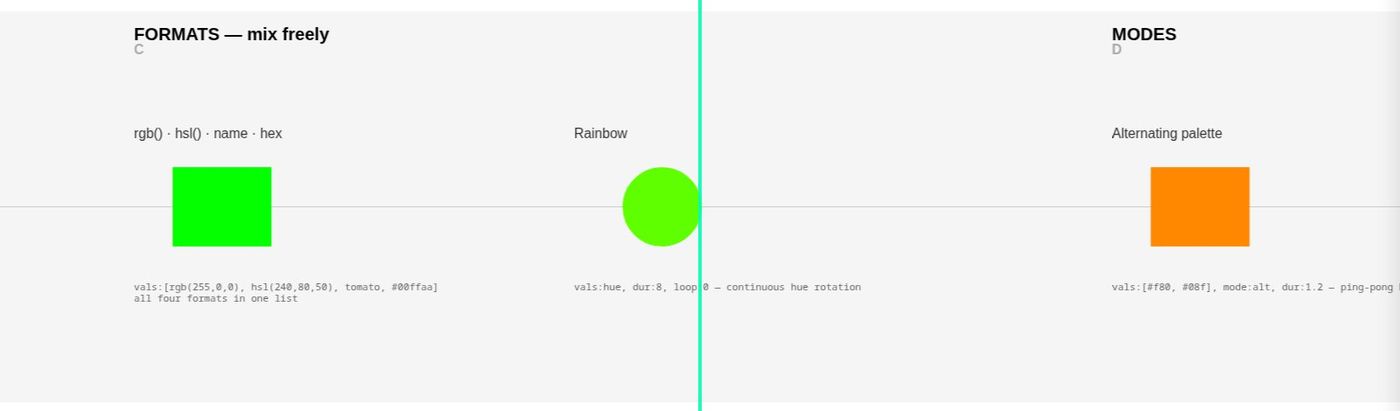
color(vals:hue, dur:10, loop:0)

// Alternating palette (ping-pong)
color(vals:[#f80, #08f], mode:alt, dur:1.2)

// Pattern-driven sequence
color(vals:Pseq([red, yellow, cyan], 4), dur:0.5)
Basic Syntax
color(
    vals:[...],      // colour values or hue keyword
    dur:beats,     // duration per transition
    mode:mode,       // interpolation mode
    loop:n           // repetitions (0 = infinite)
)
Parameters
vals: (required)
Defines the colour values or behaviour.
Discrete Colour Values
Supported formats (interpolation always happens in HSL space):
- Hex:
#f00,#ff8800 - RGB:
rgb(255, 0, 0) - HSL:
hsl(120, 80, 50) - Named: any CSS colour name —
red,gold,tomato,rebeccapurple, …
Formats mix freely in one list, and hex/names work inside patterns:
color(vals:[#f00, #0f0, #00f], dur:2)
color(vals:[rgb(255,0,0), hsl(240,80,50), tomato, #00ffaa], dur:2)
color(vals:Pseq(#ff0055, gold, inf), dur:0.5)
none (or transparent) is no colour: with mode:step the fill (or line)
disappears for that step; gliding, the colour fades out to it and the next one
fades in from it.
color(vals:Prand([black, none, none], inf), target:fill, mode:step, dur:0.3)
color(vals:[red, none], dur:1)
Hue Cycling (Continuous)
Full 360° hue rotation:
color(vals:hue, dur:6)
Range-limited cycle:
color(vals:hue(120, 240), dur:4)
This cycles only through the green-to-blue range.
Pattern Sequences
color(vals:Pseq([#f00, #ff0, #0ff], 3), dur:1)
color(vals:Prand([#f80, #08f, #8f0], inf), dur:0.8)
dur:
Duration in beats for one transition (or one full hue cycle).
color(vals:[#f00, #0f0], dur:2)      // 2 beats per transition
color(vals:hue, dur:10)               // 10 beats per full rotation
Duration can also be a pattern:
color(vals:[#f00, #0f0, #00f], dur:Pseq([1, 0.5, 2], inf))
mode:
Controls interpolation behaviour.
| Mode | Behaviour |
|---|---|
linear |
Smooth interpolation (default) |
alt |
Ping-pong (forward then reverse) |
step |
Hard switching, no interpolation |
// Smooth transitions
color(vals:[#f00, #0f0], dur:2, mode:linear)

// Bounce back and forth
color(vals:[#f00, #0f0], dur:2, mode:alt)

// Instant colour changes
color(vals:[#f00, #0f0, #00f], dur:0.5, mode:step)
loop:
Number of repetitions.
loop:3    // repeat three times then stop
loop:0    // infinite (default for hue cycling)
loop:1    // play once
uid:
Unique identifier for the animation instance.
color(uid:myColor, vals:hue, dur:5)
trig:
Trigger mode.
| Value | Behaviour |
|---|---|
auto |
Start immediately on load (default) |
playhead |
Start when playhead reaches element |
color(vals:[#f00, #00f], dur:2, trig:playhead)
tdelay:
Delay before animation starts (beats).
color(vals:hue, dur:6, tdelay:2) // wait 2 beats then start
init:
Initial visibility before animation starts.
| Value | Effect |
|---|---|
show |
Visible immediately (default) |
hide |
Hidden until triggered |
ghost |
Semi-transparent (30% opacity), no interaction |
fadein(beats) |
Fade in over that many beats |
armed |
Ghost opacity (0.7), click to start animation |
armed(opacity) |
Custom ghost opacity, click to start |
armed(opacity, fade) |
Custom opacity and fade duration, click to start |
color(vals:hue, dur:5, init:hide, trig:playhead)
color(vals:[#f00, #0f0], dur:2, init:fadein(1))
color(vals:hue, dur:10, init:armed, trig:playhead)
target:
Specifies which SVG property to animate.
| Value | Effect |
|---|---|
both |
Animate fill and stroke (default) |
fill |
Animate fill only |
stroke |
Animate stroke only |
// Animate fill only
color(vals:[#f00, #00f], dur:2, target:fill)

// Animate stroke only (useful for outlines)
color(vals:hue, dur:10, target:stroke)

// Animate both (default)
color(vals:[#f00, #0f0], dur:2, target:both)
osc:
Enable OSC output.
| Value | Behaviour |
|---|---|
0 |
Disabled (default) |
1 |
Continuous output |
color(vals:hue, dur:10, osc:1)
OSC output includes:
h— Hue (0–360)s— Saturation (0–100)l— Lightness (0–100)hNorm— Normalised hue (0–1)sNorm— Normalised saturation (0–1)lNorm— Normalised lightness (0–1)
oscaddr:
Custom OSC address.
color(vals:hue, dur:8, osc:1, oscaddr:/visuals/bg/hue)
Colour Interpolation
All interpolation occurs in HSL colour space:
- Hue: Circular interpolation (shortest angular path)
- Saturation: Linear interpolation
- Lightness: Linear interpolation
This means transitions between colours feel natural and avoid muddy intermediate tones.
Shortest Path Hue
When transitioning between hues, Oscilla takes the shortest path around the colour wheel:
#f00 → #00f    // Red to Blue: goes via magenta (shorter)
                // NOT via yellow/green (longer)
Patterns
Pseq — Sequential
Plays values in order, repeating a specified number of times.
color(vals:Pseq([#f00, #ff0, #0f0], 3), dur:1)
// Plays: red, yellow, green, red, yellow, green, red, yellow, green
Prand — Random
Selects randomly, may repeat the same value consecutively.
color(vals:Prand([#f00, #0f0, #00f], inf), dur:0.5)
Pxrand — Exclusive Random
Selects randomly but never repeats the same value twice in a row.
color(vals:Pxrand([#f00, #0f0, #00f], inf), dur:0.5)
Pshuf — Shuffle
Shuffles the values, plays through, then reshuffles.
color(vals:Pshuf([#f00, #ff0, #0f0, #0ff], 2), dur:0.8)
Examples
Discrete Colour Melody
color(vals:[#f00, #ff0, #0ff, #f0f], dur:1.5)
Warm to Cool Transition
color(vals:[#f80, #fa0, #ff0, #8f0, #0f8, #0ff], dur:6)
Breathing Glow
color(vals:[hsl(200,80%,30%), hsl(200,80%,60%)], mode:alt, dur:2, loop:0)
Continuous Spectrum
colour(vals:hue, dur:20, loop:0)
Limited Hue Range
color(vals:hue(0, 60), dur:4, loop:0)    // Red to yellow only
color(vals:hue(180, 300), dur:5)          // Cyan to magenta
Rhythmic Colour Pulses
color(vals:[#fff, #000], mode:step, dur:0.25, loop:0)
Pattern with Variable Timing
color(
    vals:Pseq([#f00, #0f0, #00f], inf),
    dur:Pseq([1, 0.5, 2], inf)
)
Playhead-Triggered Fade
color(
    vals:[#333, #f80],
    dur:3,
    trig:playhead,
    init:fadein(0.5)
)
With OSC Output
colour(
    vals:hue,
    dur:15,
    loop:0,
    osc:1,
    oscaddr:/stage/wash/hue
)
Named Colours Reference
Any CSS colour name works (gold, tomato, steelblue,
rebeccapurple, …) — names are normalized through the browser's own
colour parser. A small core set (red, orange, yellow, green,
cyan, blue, purple, magenta, pink, white, black,
gray/grey) resolves without touching the browser at all.
For precise control, use hex, RGB, or HSL notation.
Stopping: off:1
color(off:1) on the same element stops it at the colour it has reached. Run the color again to start it from there. In the live console Ctrl+Shift+. on the line does this.
Tips
-
Use HSL for control:
hsl(h, s%, l%)gives direct control over hue, saturation, and lightness. -
Hue cycling for ambience:
vals:huecreates slow, evolving colour fields without discrete steps. -
Step mode for rhythm:
mode:stepcreates hard cuts useful for rhythmic visual accents. -
Alt mode for breathing:
mode:altwith two colours creates organic pulsing effects. -
Combine with other cues: Colour animations work alongside scale, rotate, and o2p animations on the same element.
On the control plane
A color() publishes what it is doing, so a hue cycle can drive something else:
| Channel | Meaning |
|---|---|
hNorm |
hue, 0–1 |
sNorm |
saturation, 0–1 |
lNorm |
lightness, 0–1 |
and takes a follow() on dur:, sampled when the cue starts:
color(uid:hc, vals:[#111, #eee], dur: follow(fader.t, 8, 0.5), loop:0)
synth(uid:s1, wave:sine, freq: follow(hc.hNorm, 90, 900), amp:0.1)
Open the connections view to see these as ports.
See Also
- rotate() — Rotation animation
- scale() — Scale animation
- o2p() — Object-to-path animation
- Patterns — Pattern system reference
Demo
See demo-color — colour sequences, a continuous hue cycle, and a speed bound to a fader.
http://localhost:8001/?project=demo-color
Tip: use ← → or ↑ ↓ to navigate the docs